Markdown at the core
Read and write plain-text tasks in a folder you choose.
One workspace everywhere
Move naturally between iPhone, iPad, and Mac.
Privacy by choice
Keep work local or explicitly configure an AI provider.
A quieter workspace
Everything you need. Nothing in the way.
Next keeps the work ahead tactile and legible. Your tasks live in files you control, your schedule stays visible, and every AI proposal waits for approval.
To-do
See every project clearly.
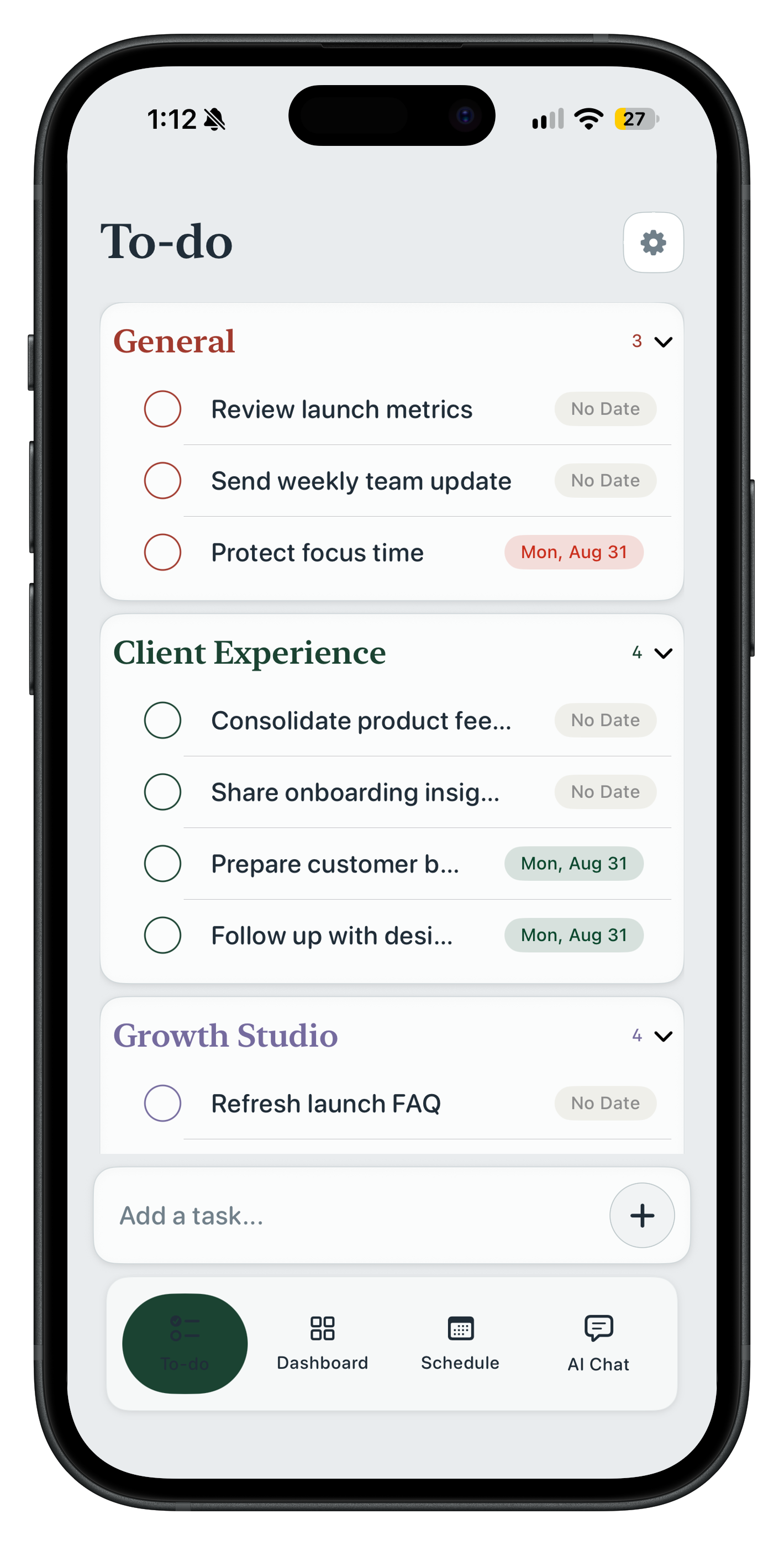
Organize work by project, capture tasks quickly, and keep due dates close without turning your workspace into a dashboard.
- Project grouping and accent colors
- Quick capture and inline task editing
- Plain Markdown files you can open anywhere
Schedule
Give priorities a place in time.
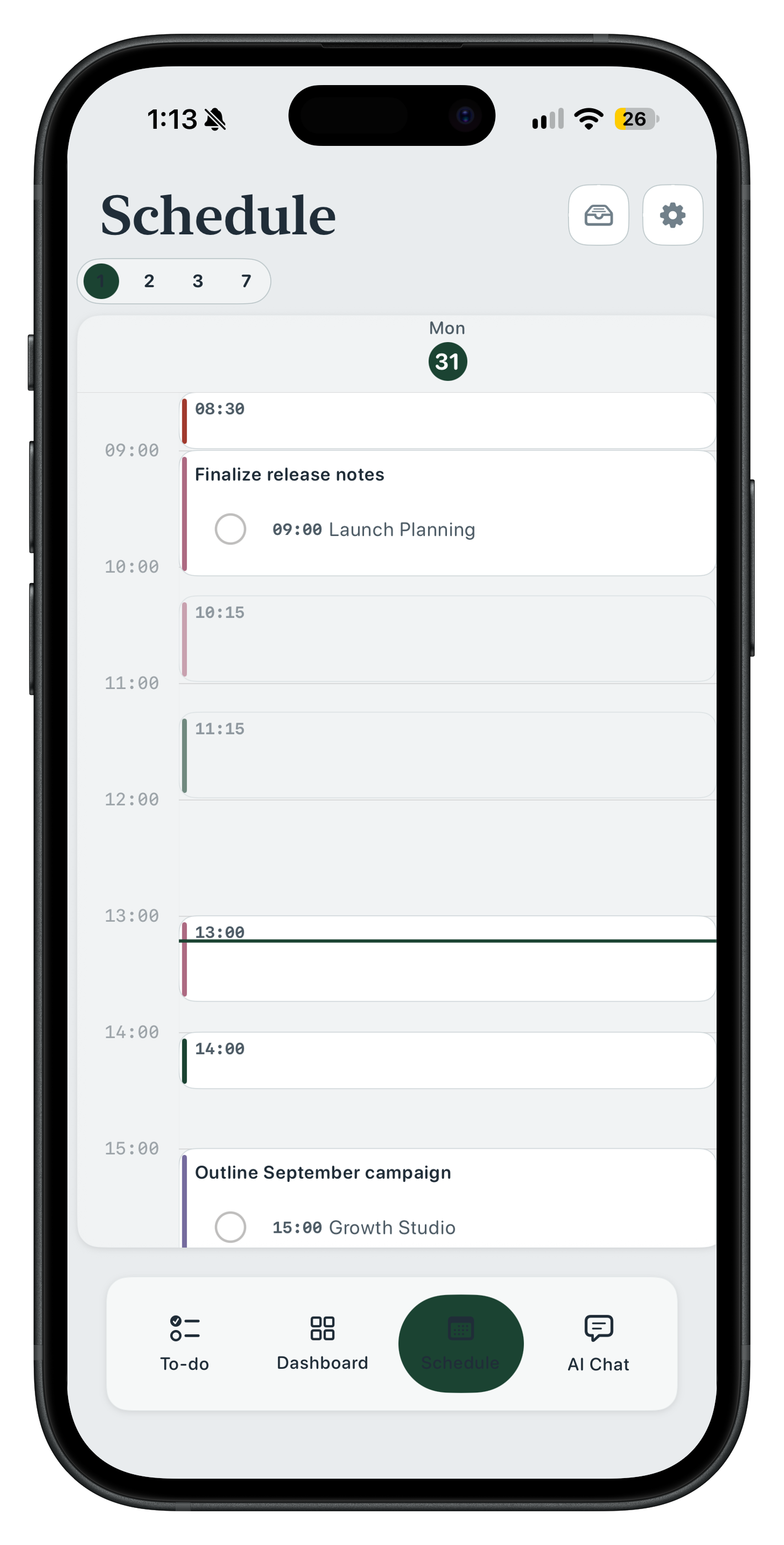
Build a practical day around the time you have. Next makes it easy to schedule, adjust, and protect the work that matters.
- Visual daily timeline
- Read-only Calendar busy-time overlays
- Local task reminders
Momentum
Notice the day taking shape.
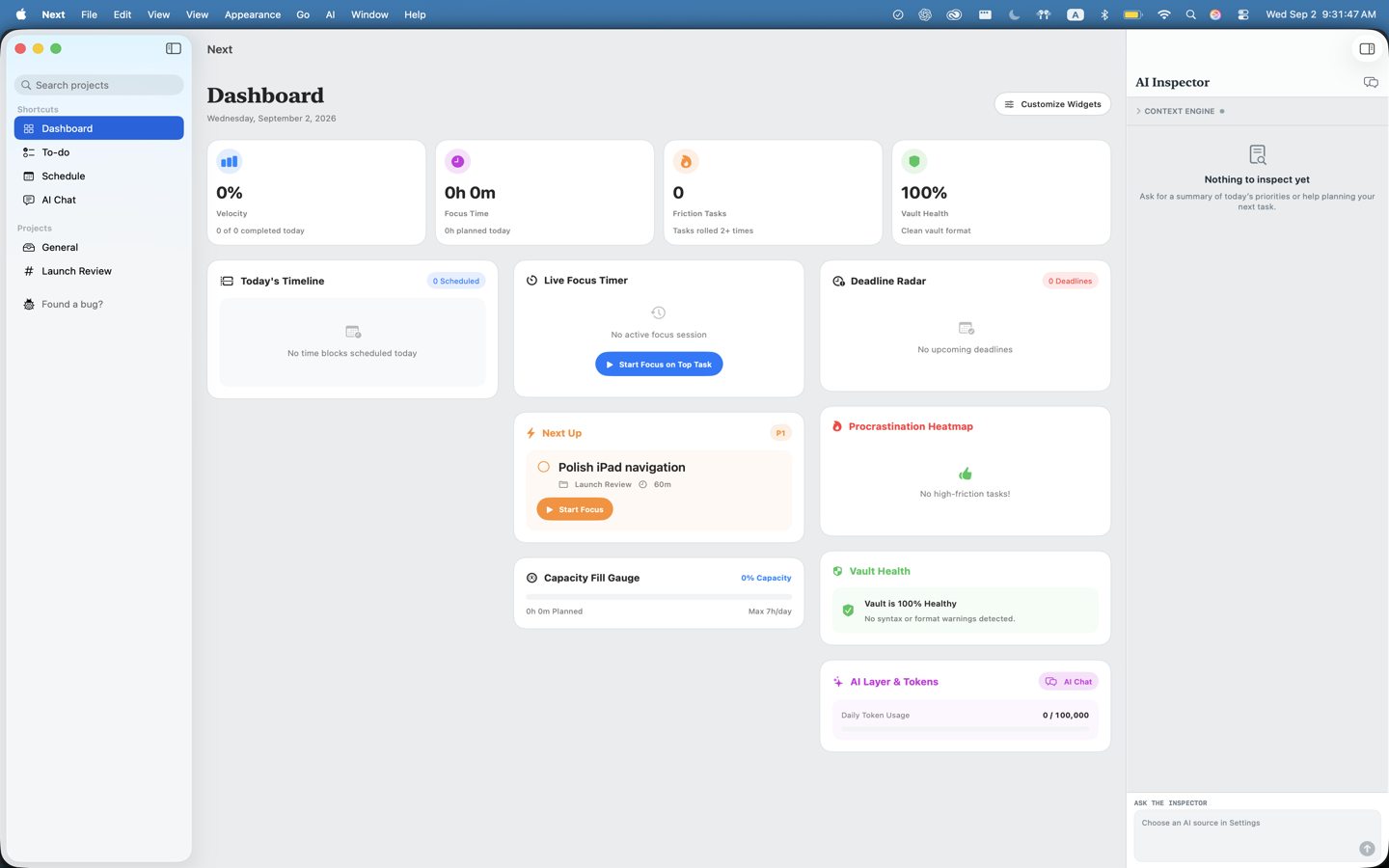
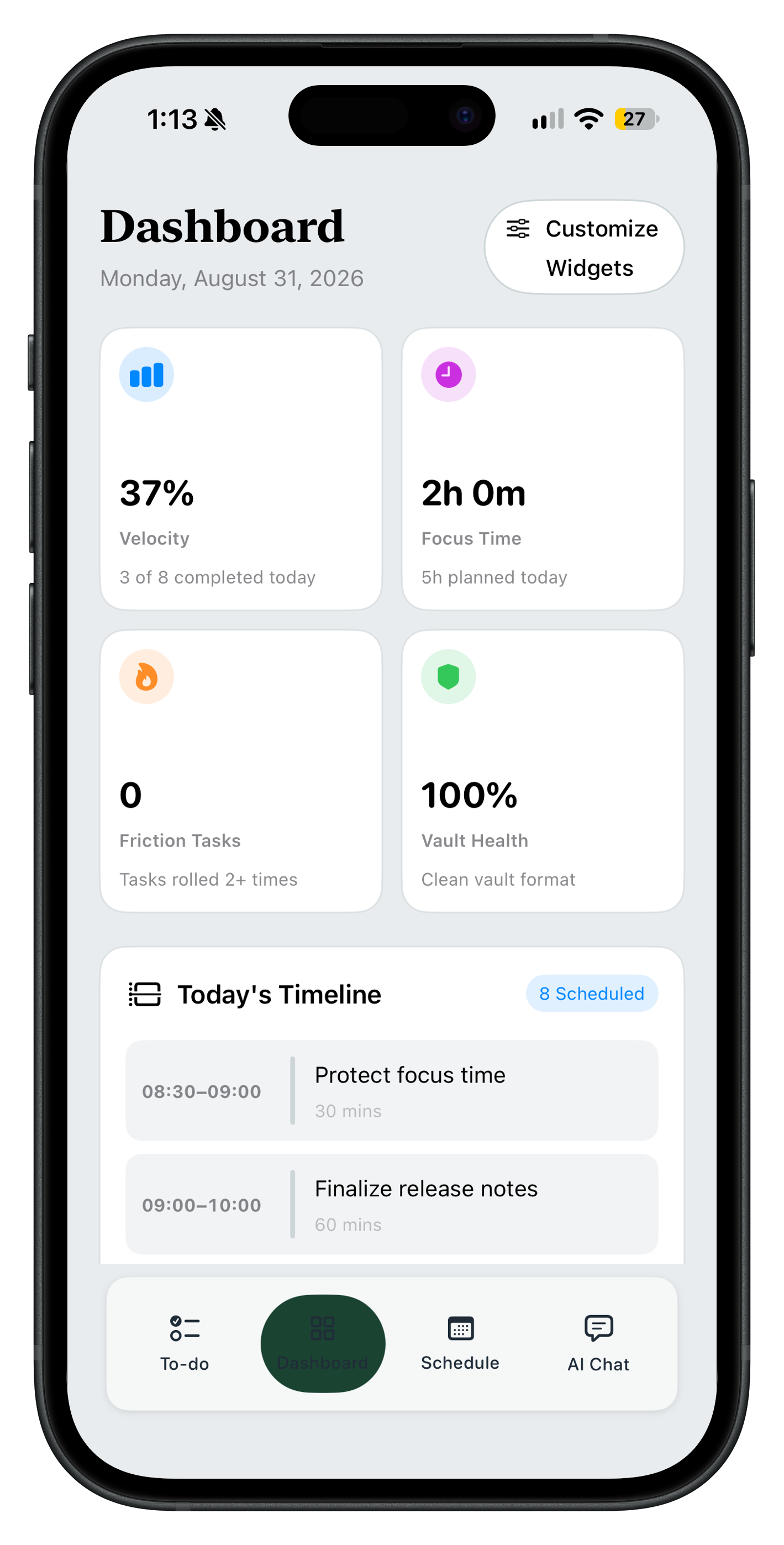
Use a simple readout of task velocity, focus time, and today's plan to understand your momentum without surveillance or noisy charts.
- On-device progress metrics
- Today's schedule at a glance
- No developer-operated analytics
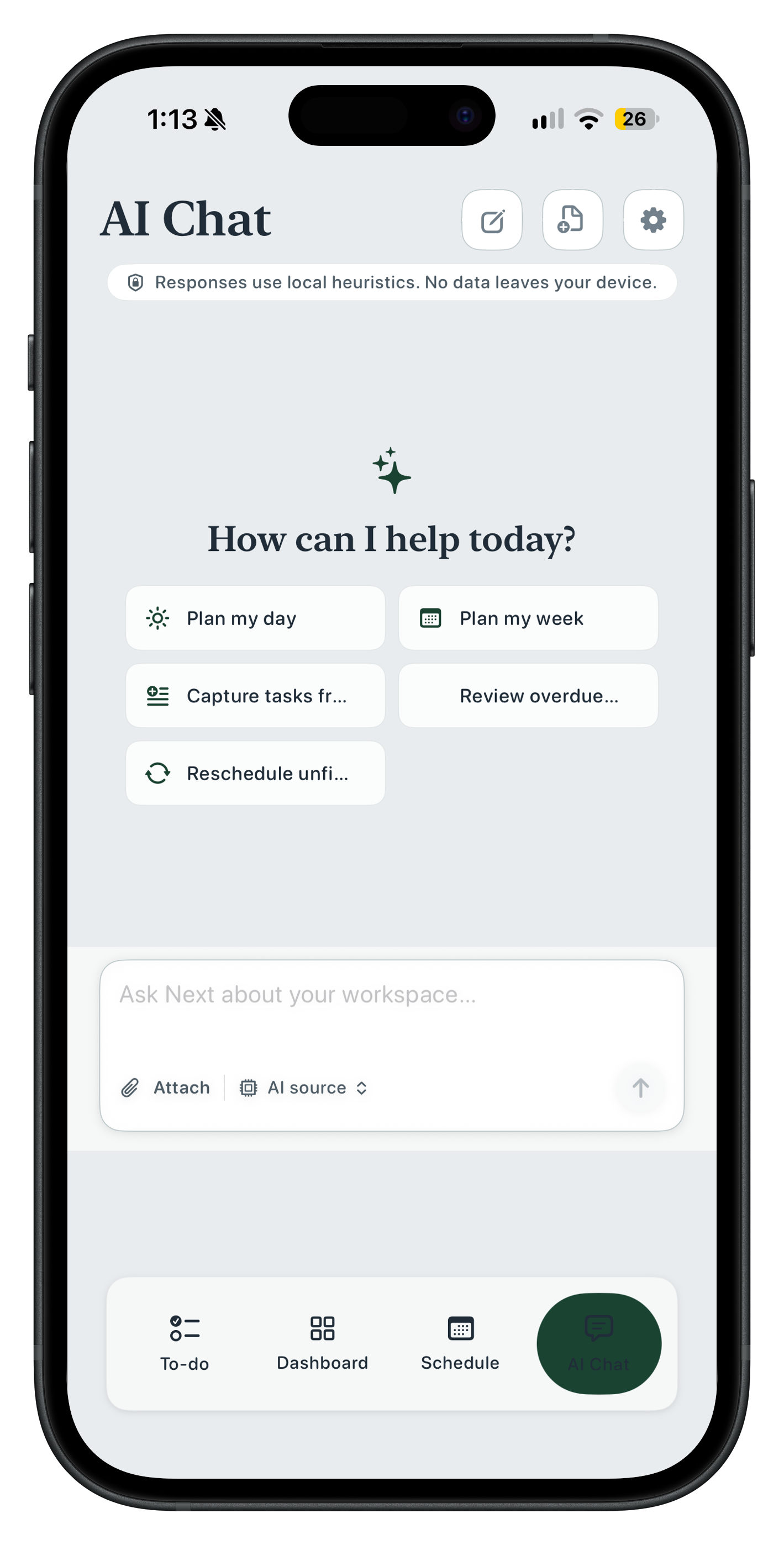
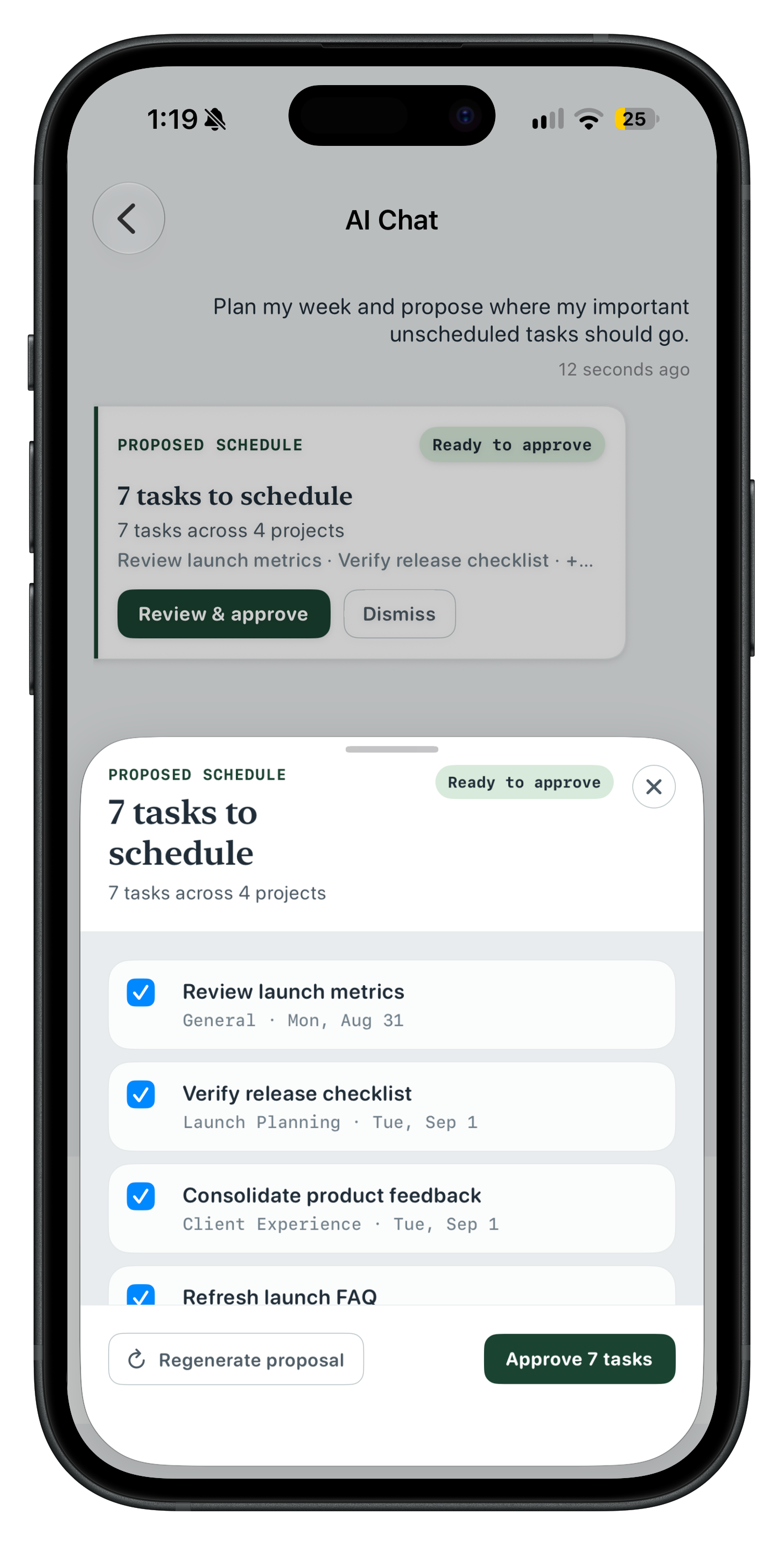
AI planning
Start with a thought. Review the plan.
Ask Next to plan a week or break down a project. You review every task and schedule proposal before anything is written to your workspace.
✓
Designed around your data, not a platform.
Next uses the folder you choose as its source of truth. It does not require an account, run ads, or use developer-operated analytics. Cloud AI is optional and only runs when you explicitly select a provider.
Read the privacy policy
Available Now
Keep your work close. Move it forward.
projectNext is available now on iPhone and iPad. Download on the App Store to start planning with your own Markdown files. Mac workspace coming soon.